
DashVue at a glance
👀
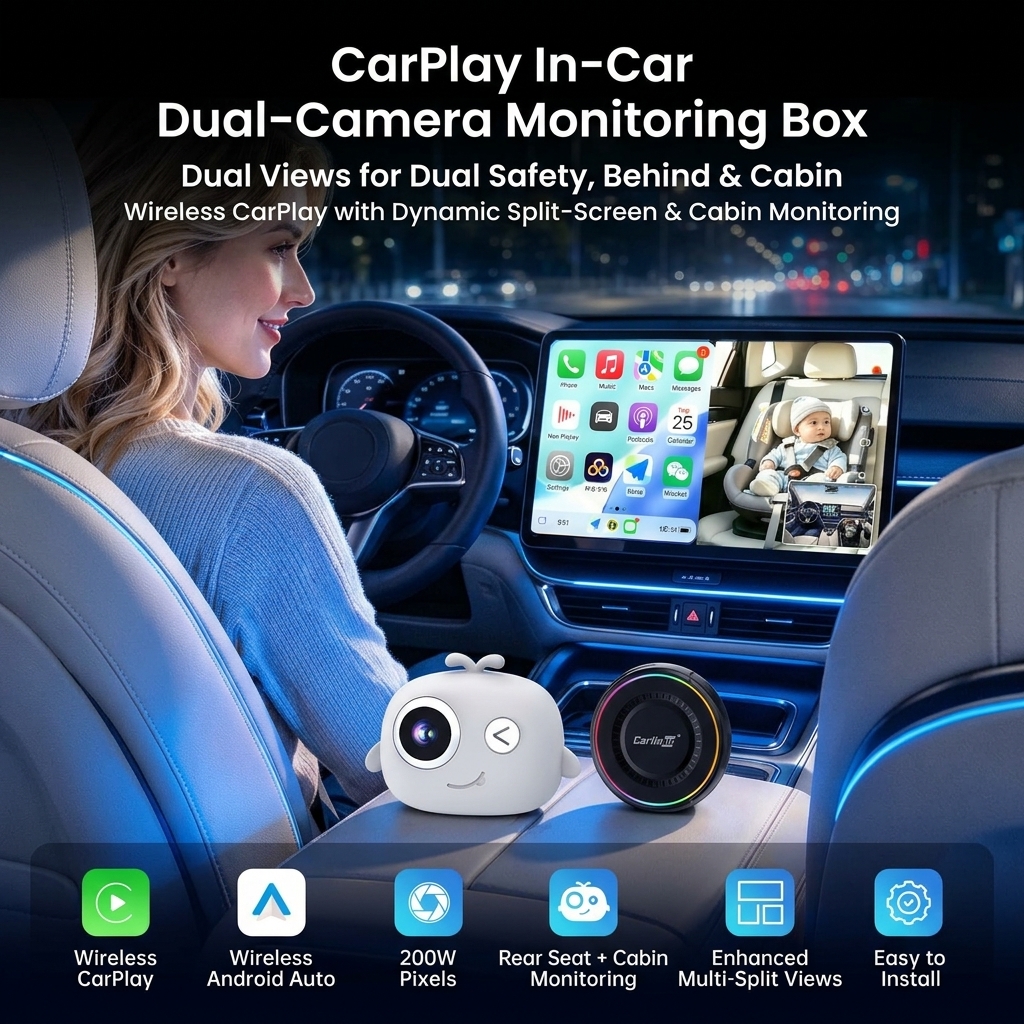
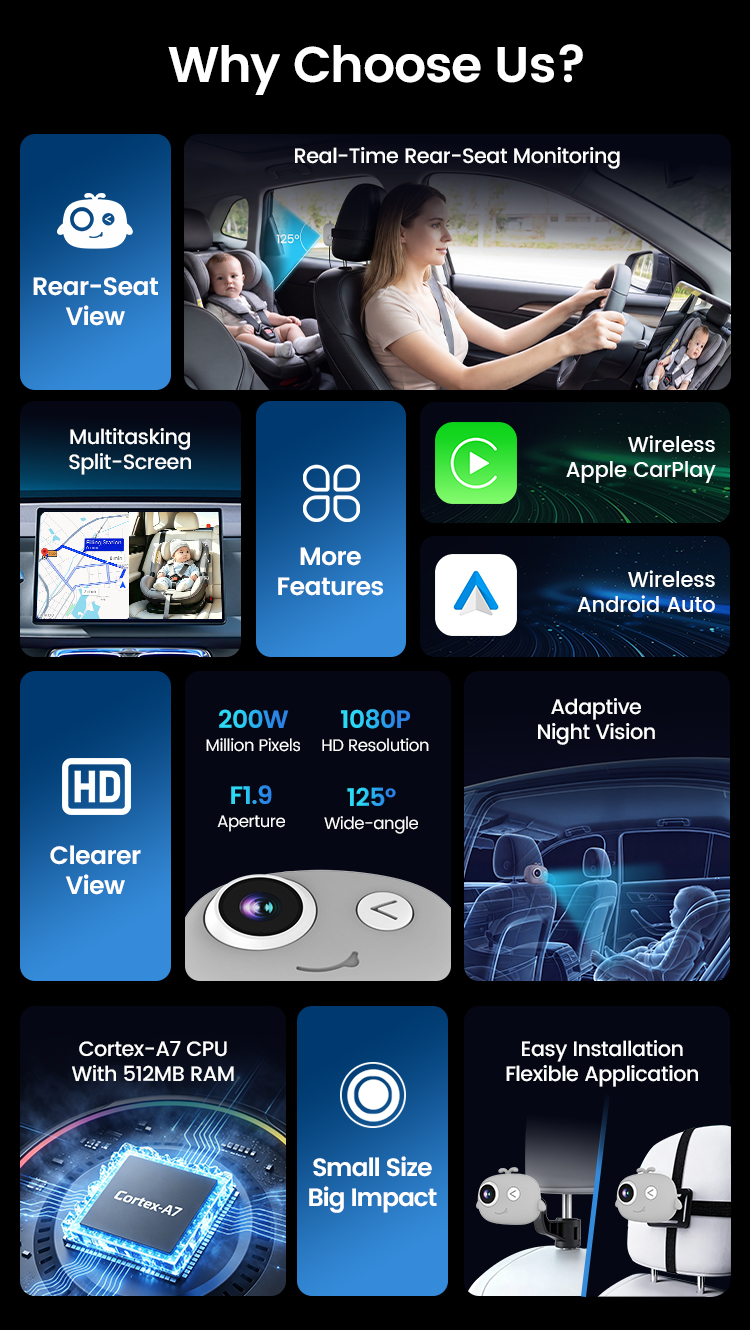
Live rear seat view
See the back seat on your car’s own screen
📱
Wireless CarPlay
iPhone 6+ (iOS 10+) connects automatically
🤖
Wireless Android Auto
Android 11+ phones
🗺
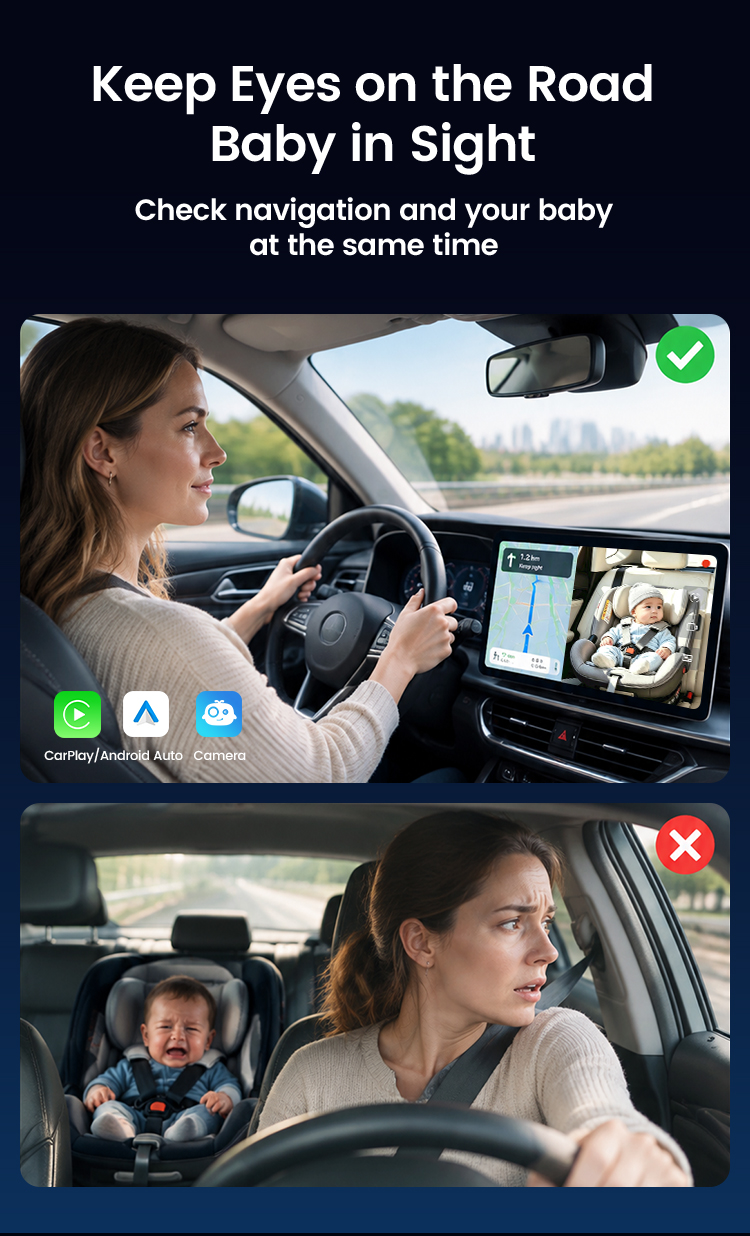
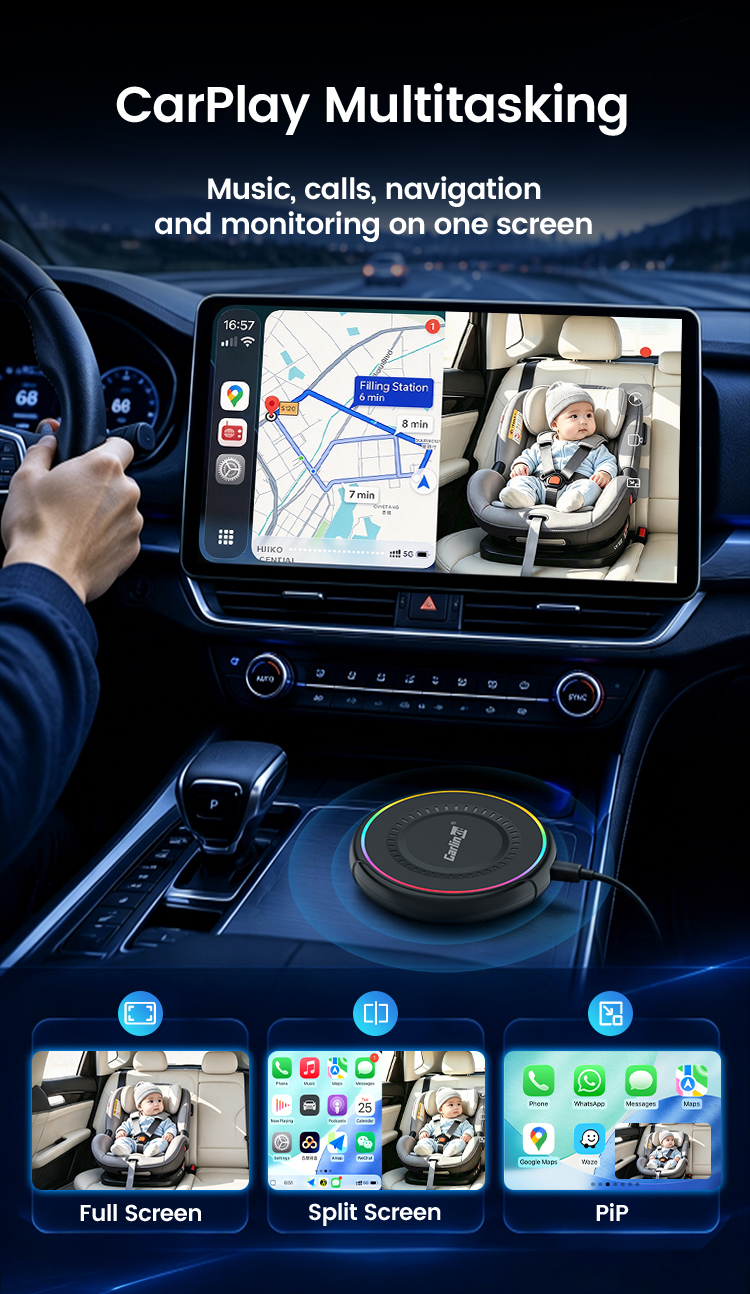
Split screen & PiP
Navigation and baby view together
🌙
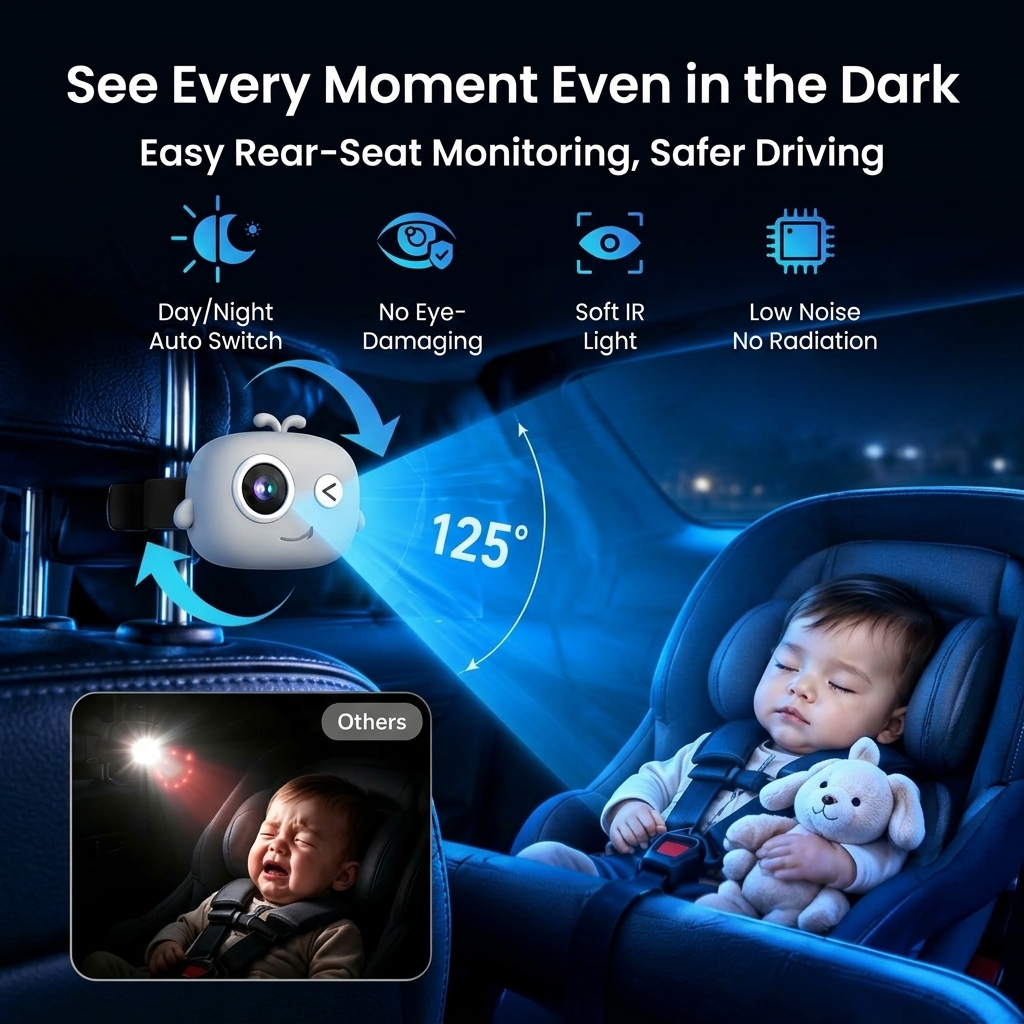
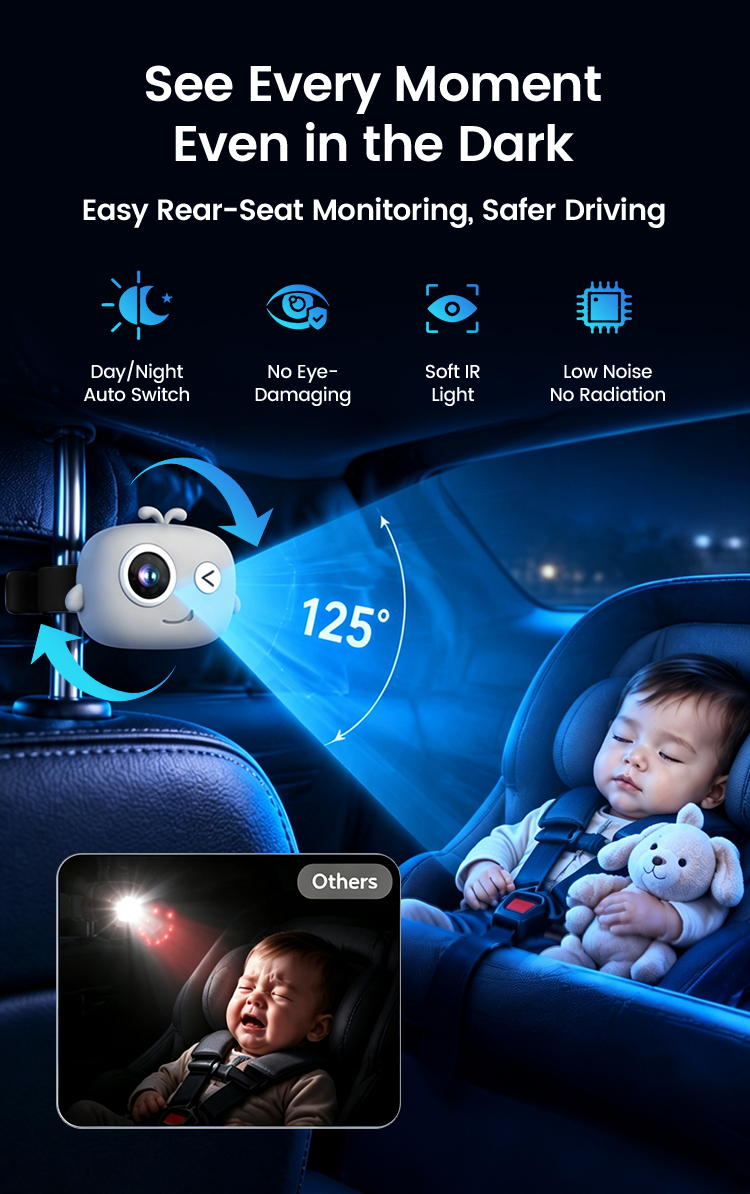
Infrared night vision
Auto day/night switching
📐
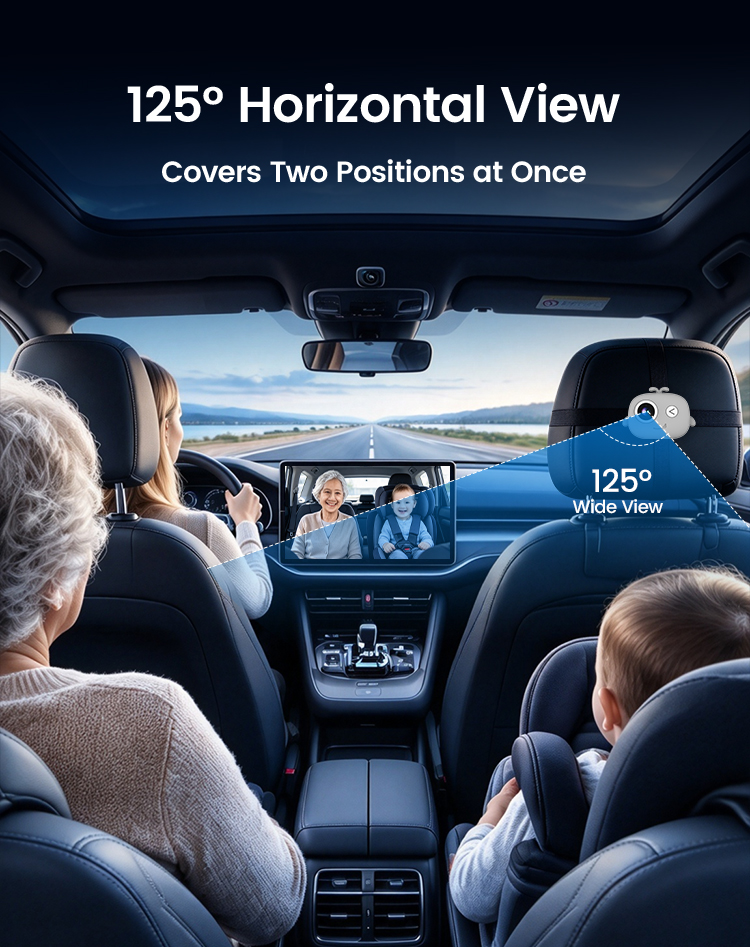
125° wide angle
Covers two rear seats
🎥
Loop recording
Micro SD up to 256GB + phone app
🔧
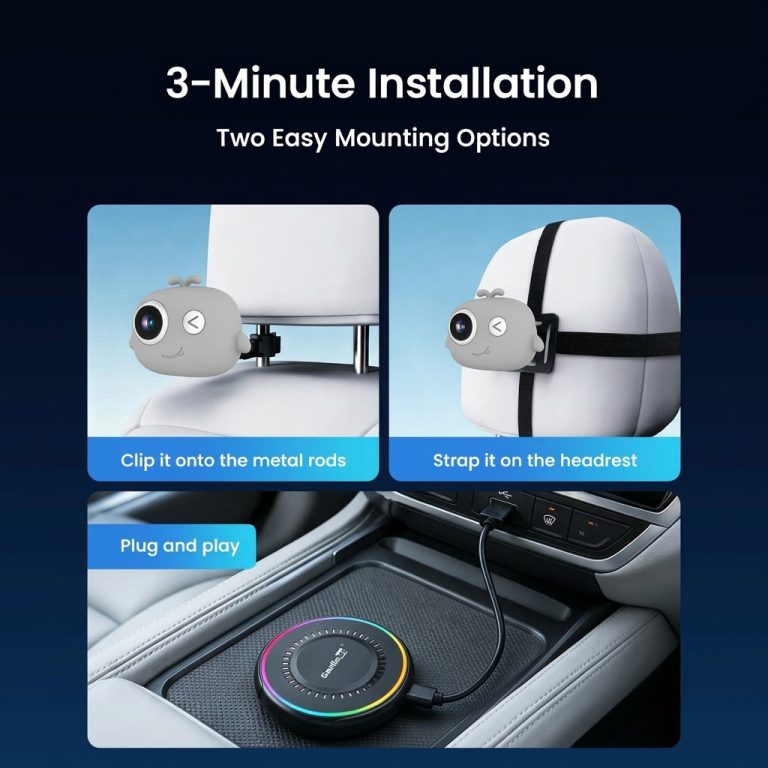
3-minute install
Plug and play, nothing in the car is changed
Use your favorite CarPlay apps – with your baby in view
Google MapsWazeApple MapsSpotifyApple MusicPandoraAudibleWhatsApp
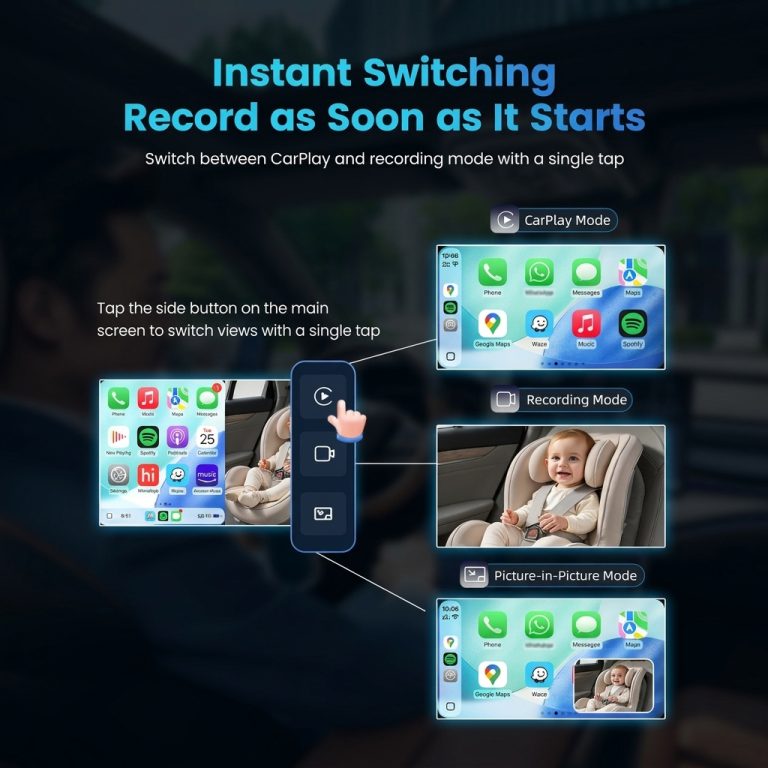
Full screen
A large, clear view of the back seat when you need it.
Split screen
Maps on one side, your little one on the other.
Picture-in-picture
A small floating camera window over CarPlay or Android Auto.
One-tap switching
Switch between CarPlay, camera and PiP with the side buttons on screen.
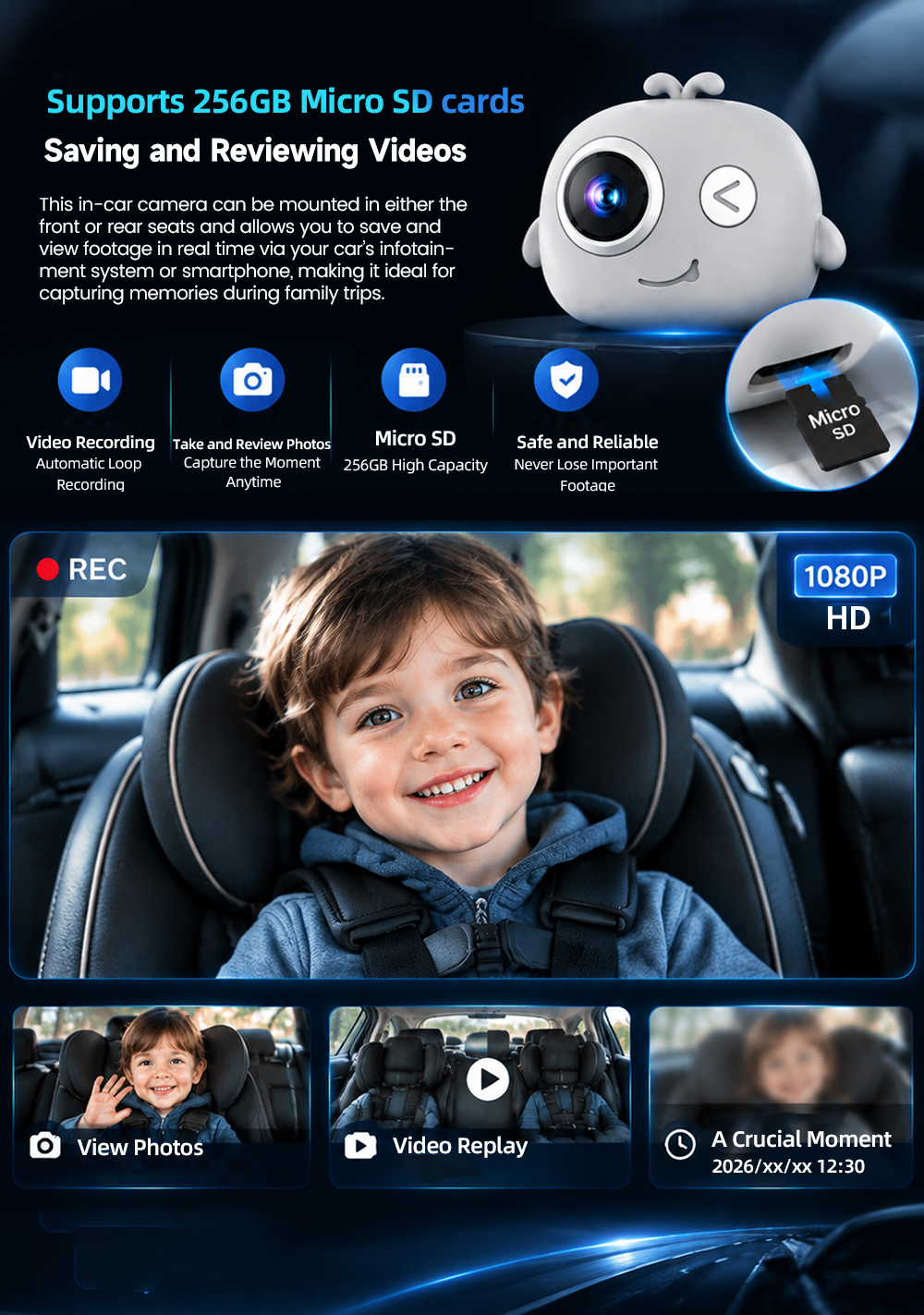
Made for everyday family driving
🏫 The school and daycare run
Busy morning traffic, a toddler in a rear-facing car seat. One glance at the screen tells you they’re fine – no twisting around at red lights.
🛣 The family road trip
Hours on the interstate with the kids asleep in the back. Keep Google Maps open and the camera in a corner of the screen.
🐶 Family and furry passengers
The 125° view covers two seats – kids, grandparents, or the dog on a weekend trip to the park.
Only glance at the screen when it’s safe, and follow local traffic laws.
Set up in 3 steps
1
Plug in the adapter
Connect the adapter to your car’s CarPlay USB port. Tap the DashVue icon on the car screen.
2
Pair your phone
Turn on Bluetooth and Wi-Fi, pick the DashVue name and pair once. It reconnects automatically after that.
3
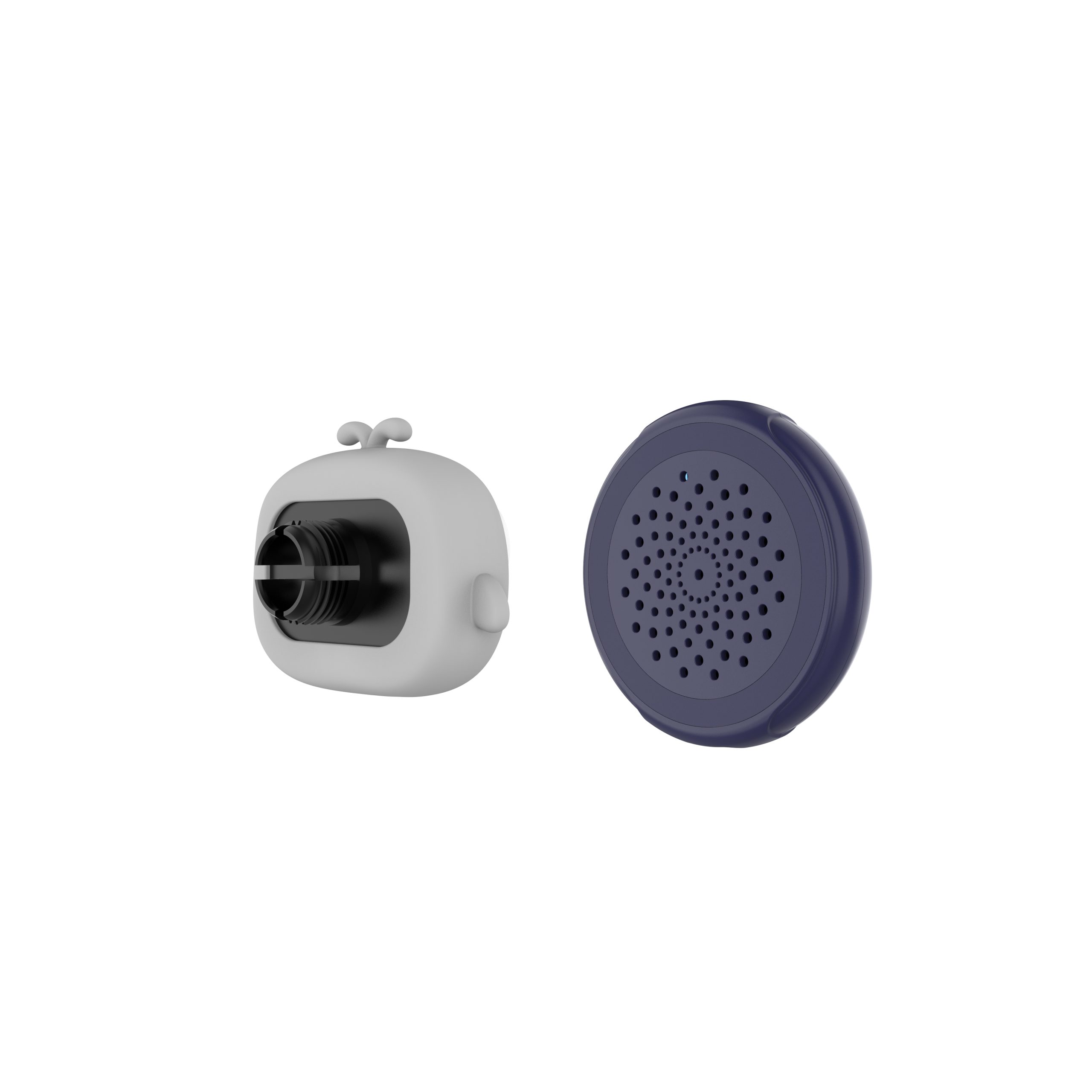
Mount the camera
Strap it to the headrest or clip it onto the headrest posts, power it by USB and angle it at the car seat.
30-second compatibility check
Plug your iPhone into your car with a USB cable. If CarPlay appears on the screen, your car has wired CarPlay and DashVue will work.
✓ Works with
Cars with factory wired Apple CarPlay (most CarPlay cars from 2016 on)
iPhone 6+ (iOS 10+) and Android 11+ phones
✕ Doesn’t work with
Wireless-only CarPlay
No CarPlay at all → 10″ portable CarPlay screen
Android Auto only, aftermarket head units
Not sure? Email us your make, model and year. We also check your car again after you order, before shipping.
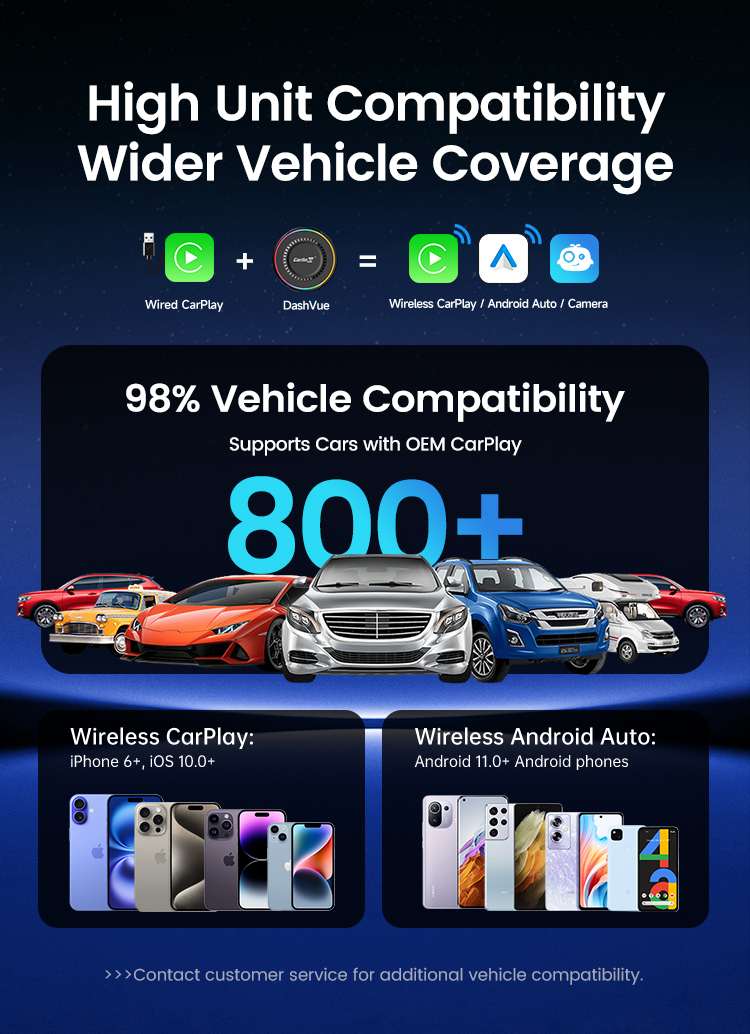
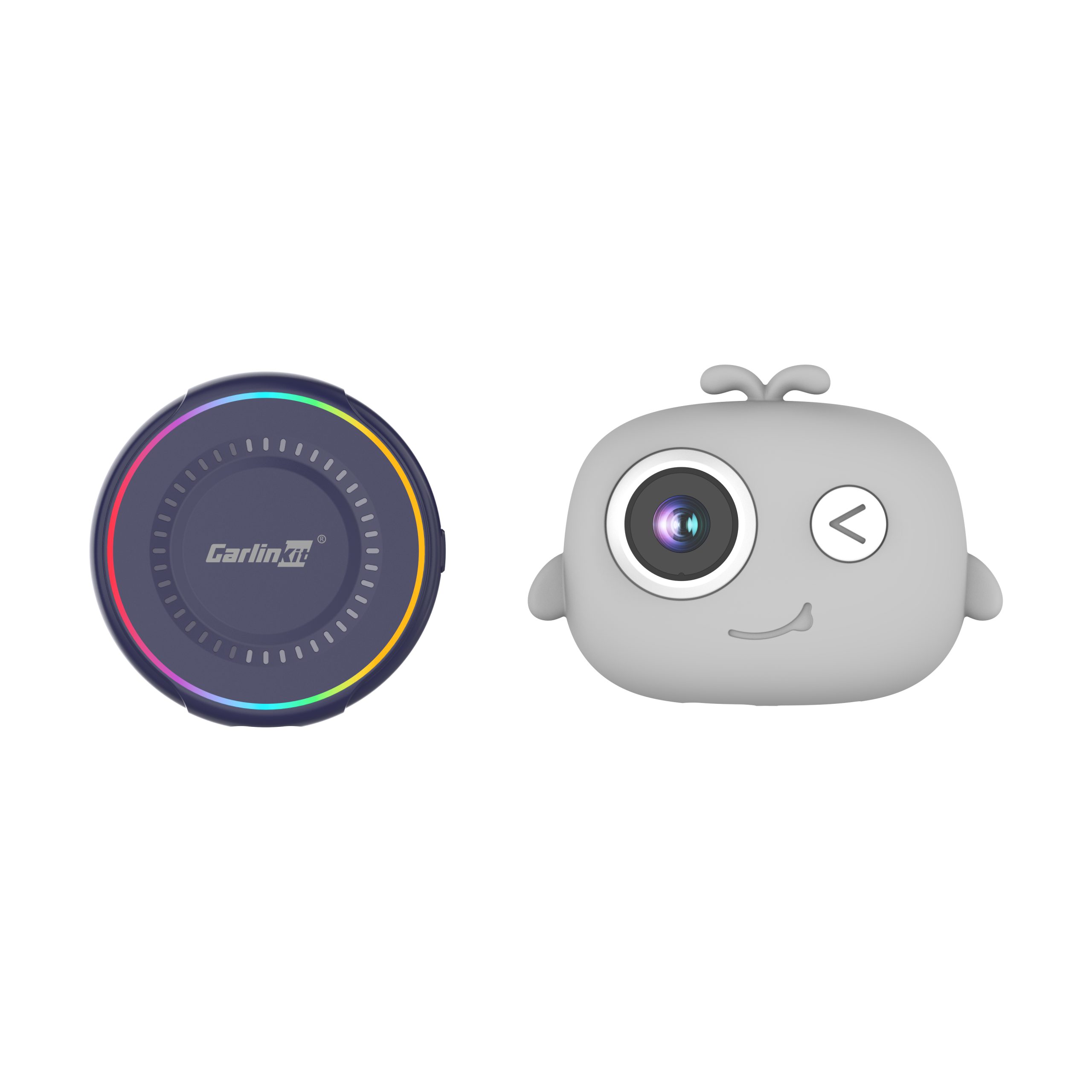
DashVue vs Carlinkit 5.0
| DashVue | Carlinkit 5.0 | |
|---|---|---|
| Wireless CarPlay | ✓ | ✓ |
| Wireless Android Auto | ✓ | ✓ |
| Rear seat camera | ✓ 1080P, 125° | ✕ |
| Night vision | ✓ Infrared | ✕ |
| Split screen / PiP camera view | ✓ | ✕ |
| Loop recording + phone app | ✓ Micro SD up to 256GB | ✕ |
Specifications
| Camera | |
| Sensor | 2MP |
| Resolution | 1080P |
| Aperture | F1.9 |
| Field of view | 125° wide angle |
| Night vision | Infrared, automatic day/night switching |
| Recording | |
| Video format | MP4, 30FPS |
| Storage | Micro SD card up to 256GB (not included) |
| Phone app | Live view, playback, photos, camera settings |
| Connectivity | |
| Phones | iPhone 6 or later, iOS 10.0+ / Android 11.0+ |
| Display modes | Full screen, split screen, picture-in-picture |
| Compatibility | |
| Works with | Cars with factory wired Apple CarPlay |
| Not for | Wireless-only CarPlay, Android Auto only, aftermarket head units, no CarPlay |
| Hardware | |
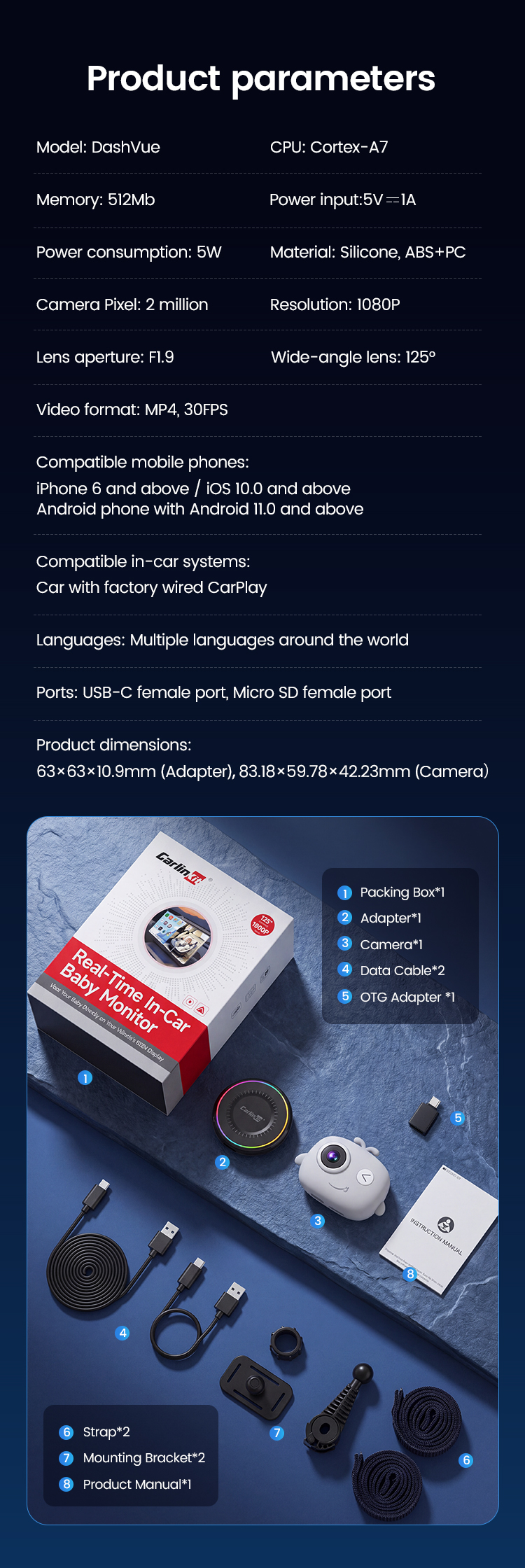
| Processor | Cortex-A7 |
| Power input | 5V 1A |
| Material | Silicone, ABS+PC |
| Adapter size | 63 × 63 × 10.9 mm (2.48 × 2.48 × 0.43 in) |
| Camera size | 83.18 × 59.78 × 42.23 mm (3.27 × 2.35 × 1.66 in) |
| Service | |
| Warranty | 2 years |
| Returns | 30-day money back |
| Shipping | Free tracked shipping to the US |
| In the box | |
| Contents | Adapter ×1, Camera ×1, Data cable ×2, OTG adapter ×1, Strap ×2, Mounting bracket ×2, User manual ×1 |
FAQ
What’s the difference between DashVue and the Carlinkit 5.0?
Both turn wired CarPlay into wireless CarPlay and wireless Android Auto. DashVue adds a 1080P rear seat camera with night vision, split screen with navigation and loop recording.
Will it work in my car?
It works if your car has factory wired Apple CarPlay. Plug your iPhone into the car with a cable – if CarPlay appears, DashVue will work. Not sure? Email us your make, model and year and we’ll check before shipping.
My car only has wireless CarPlay. Can I use it?
No. DashVue needs a factory wired CarPlay connection. Email us your car and we’ll suggest what works for it.
How do I switch between CarPlay and Android Auto?
Connect the phone you want to use. DashVue reconnects to the last paired phone; to switch, turn off Bluetooth on the current phone or choose the other device on the DashVue screen.
How do I switch between CarPlay and the camera?
Tap the side buttons on your car’s screen to switch between CarPlay mode, full-screen camera and picture-in-picture.
How is the camera powered?
With the included 2m (6.5 ft) USB cable, from a USB port in your car or a USB car charger (not included).
Does it work at night?
Yes. The camera switches to infrared night vision automatically in low light, using soft IR light that won’t light up the cabin.
Is anything uploaded to the cloud?
No. Recordings are saved only to your own Micro SD card. Sound recording can be turned off in the app settings.
Is it safe to use while driving?
Only glance at the screen when it’s safe and follow local traff